What the Ergonomics Quiz measures
This quiz does not certify workstations, replace employer safety programs, or diagnose repetitive strain injuries. It measures how much you agree with statements in four groups: desk and monitor setup about eye level screens, arm-length distance, stable chair and foot support, glare control, and rejecting laptop-hunch myths; movement breaks about hourly stand or stretch habits, eye rest, posture shifts on calls, and rejecting freeze-until-done productivity traps; wrist and posture about neutral typing angles, shoulder resets, reach distance, document holder use, and rejecting push-through pain myths; and ergonomics quiz limits about unofficial disclaimers, ergonomist and OSHA protocols you still need for formal clearance, and refusing to treat web bars like medical or insurer approval. You rate 22 statements from strongly disagree to strongly agree, with reverse-worded items so autopilot tough-guy answers cannot inflate every bar. Your answers also feed a second chart on closeness and trust habits, because work stress sometimes overlaps with isolation or shame about taking breaks. The total becomes an index from 0 to 100 where higher means more endorsed ergonomics literacy habits on this screener, not proof your body tolerates unlimited screen time.
Desk and monitor setup
Eye level screens, distance, chair support, glare, and dual-monitor alignment.
Movement breaks
Hourly movement, eye rest, posture shifts, and sustainable focus.
Wrist and posture
Neutral wrists, shoulder resets, reach, and phone-neck awareness.
Ergonomics quiz limits
Unofficial literacy; ergonomists and clinicians stay primary for pain.
How it works
Answer 22 agreement items
Rate each statement from Strongly disagree to Strongly agree. Tap Next after each answer.
Answers sort into four domains
Each answer feeds one of four ergonomics groups, and every item also feeds a closeness and trust layer.
See your index and charts
You get a 0 to 100 index, a band, and two bar charts you can compare after one desk tweak week.
Take the Ergonomics Quiz
Answer 22 short statements to see your workplace ergonomics literacy index, four domain bars, and a closeness and trust chart.
What your result means
Your index is the average of all 22 answers, scaled from 0 to 100, with reverse-worded myth items flipped first. Read ergonomics quiz limits with wrist and posture bars before you treat any total as clearance to ignore numbness. Pain that persists deserves clinicians and qualified ergonomists, not screenshot debates.
| Band | Index range | Typical reading |
|---|---|---|
| Building ergonomics literacy | 0 to 35 | Fewer agreed facts on monitor setup, breaks, wrist habits, or unofficial limits on this screener. |
| Mixed ergonomics literacy | 36 to 65 | Solid habits in some domains with gaps on breaks, wrists, or unofficial-limit traps on others. |
| Stronger ergonomics literacy | 66 to 100 | Frequent agreement on setup, breaks, wrists, and unofficial limits; still not certified assessment. |
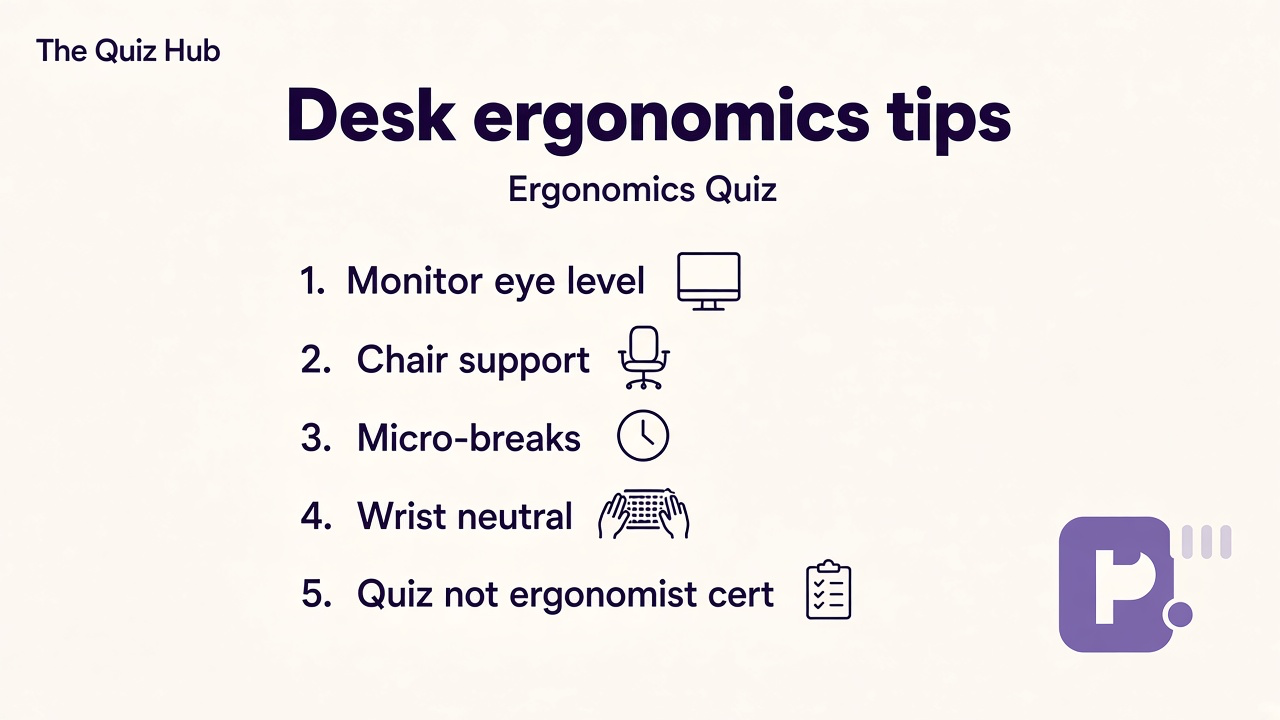
Tips at a glance
A quick takeaway graphic with topic tips (not your personal quiz scores). Start the quiz for your index, bands, and charts.
What this quiz can and cannot tell you
Can tell you
- Highlight monitor, break, and wrist habits worth trying during the next work week
- Separate unofficial literacy from certified ergonomist and OSHA formal reviews
- Encourage micro-breaks without shame when hyperfocus runs long
- Spark better questions for clinicians when symptoms outlast setup tweaks
Cannot tell you
- Replace certified ergonomist assessments or employer OSHA compliance programs
- Diagnose carpal tunnel, disc injury, or vision disorders from one agree screener
- Clear you to ignore tingling, sharp pain, or worsening strain symptoms
- Substitute for physical therapy, corrective lenses, or workplace accommodation processes
Desk literacy before ergonomist myths and pain bravado
Search traffic around ergonomics quizzes usually wants two things: name quick desk fixes that feel doable between meetings, and check whether unofficial pages are mistaken for certified assessments. Those goals help when readers treat bars as tweak notes for the next work week. They hurt when people push through numbness, skip breaks to look tough, or cite screeners as OSHA proof while wrists worsen.
Dr. James Whitfield reviews iq cognitive workplace screeners with a YMYL light split: reward honest agreement with widely taught setup and break habits and honest limits on certification hype at the same time. Desk and monitor setup keeps eye level screens, arm-length distance, stable chairs, and glare control visible beside laptop-hunch myths. Movement breaks keeps hourly movement, eye rest, and sustainable focus visible beside freeze-until-done traps. Wrist and posture keeps neutral typing, shoulder resets, and reach distance visible beside push-through pain jokes. Ergonomics quiz limits keeps unofficial language honest so readers know certified ergonomists and clinicians evaluate persistent symptoms.
Real workers mix bars. You might score high on monitor setup while breaks collapse during deadline weeks, which often describes a good stand paired with forgotten timers. You might score high on break habits with moderate wrist items, which can mean you move often yet still type on a hard edge. Reverse items catch performative answers: hunching is fine forever, real productivity bans breaks, wrist pain is always weakness, or web bars grant ergonomist credentials should not inflate bars meant to track layered desk habits.
Pair results with siblings on this hub instead of forcing one posture story. Our engineering quiz angles toward discipline and team documentation habits when your crew shares lab benches and CAD marathons. Browse the IQ and cognitive test hub for more study screeners that label themselves honestly. Bring symptom examples to clinicians rather than screenshot score wars. Caption shares as habit notes, not safety badges.
Work seasons shift faster than one desk photo. Travel, hot-desking, and caregiving weeks change which habits stick. When you share results, say ergonomists beat unofficial bars when pain persists. When you borrow tips, credit teammates who normalized breaks. Retake after one tweak month and watch whether movement break bars rise even if monitor setup lags, which often means you separated performative hustle from sustainable focus.
| Test | Focus |
|---|---|
| Engineering quiz | Discipline and team ethics study literacy rather than desk posture habits on this page |
| IQ and cognitive hub | More low stakes study screeners when you want literacy warm-ups beside ergonomics |
Ergonomics Quiz FAQ
What does this Ergonomics Quiz measure?
It measures how much you agree with statements about desk and monitor setup, movement breaks, wrist and posture habits, and quiz-not-ergonomist limits. You get an index from 0 to 100 plus four bars. It describes self-rated workplace literacy on this screener, not certified workstation approval.
Is this quiz an OSHA inspection or certified ergonomist assessment?
No. This is an unofficial literacy screener. Employers, insurers, and certified ergonomists use formal protocols this page does not provide. Do not treat your index as compliance proof or medical clearance.
Should I keep working through wrist or neck pain if my score is high?
No. Persistent pain, numbness, tingling, or vision strain deserve clinicians or qualified ergonomists even when literacy bars look strong. Stop harmful setups and seek help when symptoms interfere with sleep or daily tasks.
Why include quiz limit items beside setup questions?
Ergonomics searches often skip unofficial disclaimers. Limit bars keep reflection separate from treating web scores like ergonomist credentials or OSHA sign-off.
Who reviewed this quiz?
Dr. James Whitfield, PhD reviewed the YMYL light framing, unofficial ergonomics limits, and result explanations. See our editorial policy for review standards.
Reviewed by